
/projects · Project showcase

KKS LTD Ecommerce Platform

Built an end-to-end ecommerce experience for handcrafted furniture with a premium visual narrative, pairing cinematic merchandising with production-grade commerce flows, protected admin tooling, and operational workflows that non-technical teams can actually use.

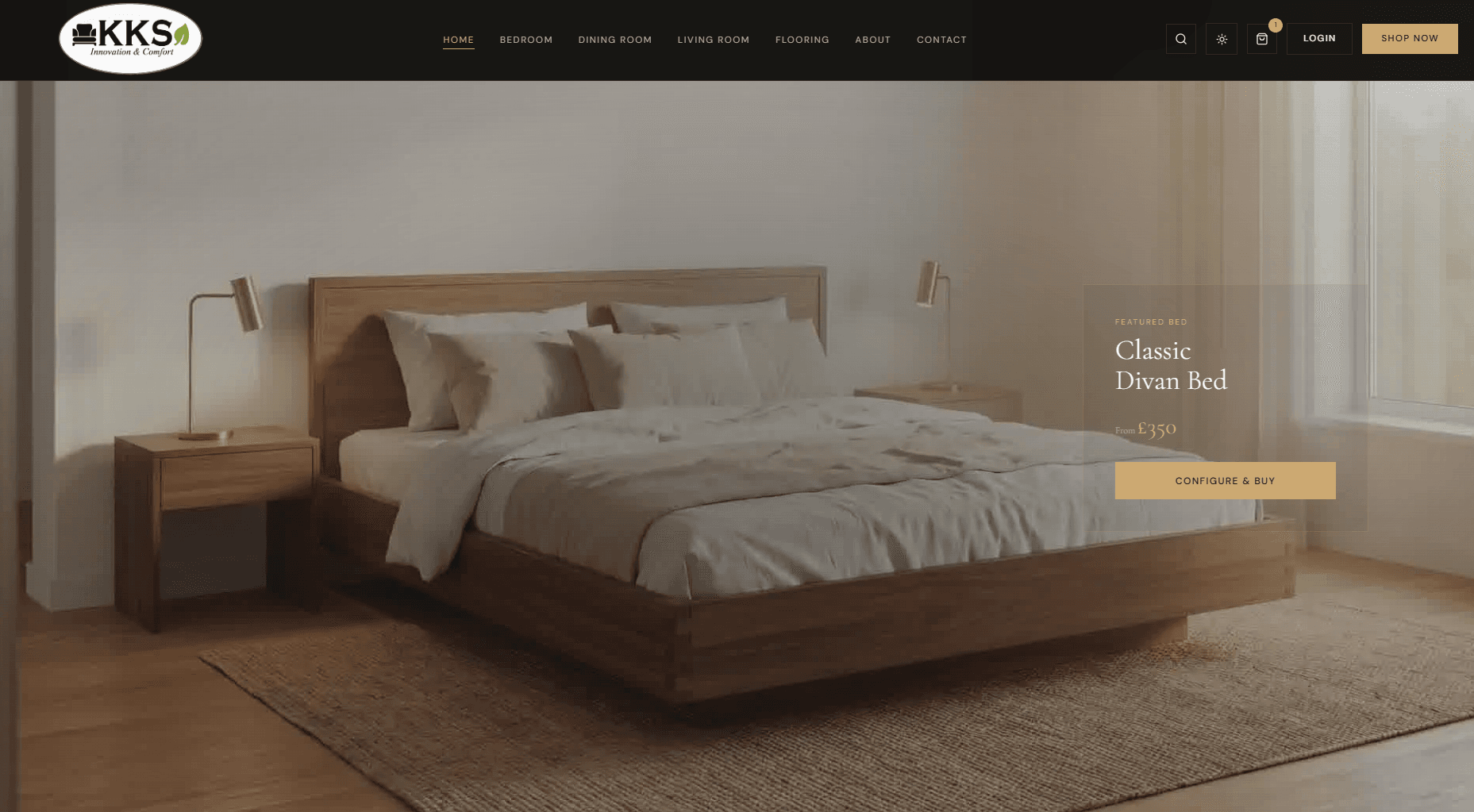
Featured product area on the KKS homepage with emphasis styling and product call to action.

— Project highlights

The parts of the build worth showing off.

A quick look at the parts of the product that best show the balance of design direction, frontend craft, commerce logic, and admin tooling.

  • Built configurable product detail flows for custom purchases across the storefront journey.
  • Integrated Stripe checkout and order confirmation logic with validation and post-payment safety checks.
  • Implemented Clerk authentication and role-based route protection for customer and admin surfaces.
  • Built admin operations tooling for product management, stock control, bulk media upload, and CSV import.
  • Added SEO support with metadata patterns, robots rules, and sitemap generation.

— Feature gallery

A closer look at the product and the ops tooling.

Customer Journey

The storefront pairs editorial storytelling with a practical buying flow, from the cinematic landing experience through product discovery, configuration, cart review, and checkout proof.

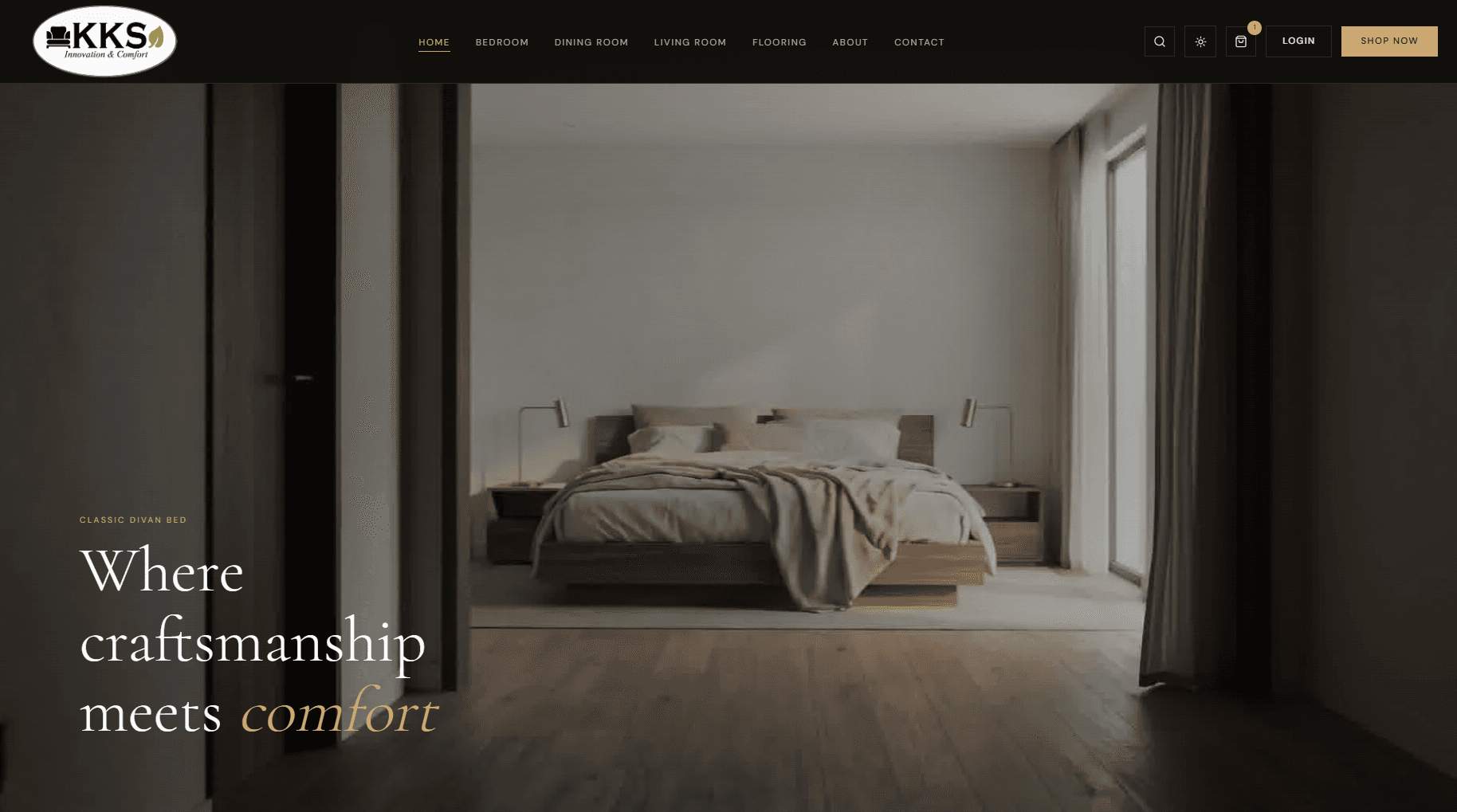
KKS landing page hero with cinematic furniture background and primary call to action.

S01

Homepage opening hero that establishes premium brand storytelling.

Homepage scroll-animation state with overlay text and transition effects.

S02

Mid-scroll hero state showing animated reveal behavior.

Featured product area on the KKS homepage with emphasis styling and product call to action.

S03

Featured product spotlight section used for dynamic merchandising.

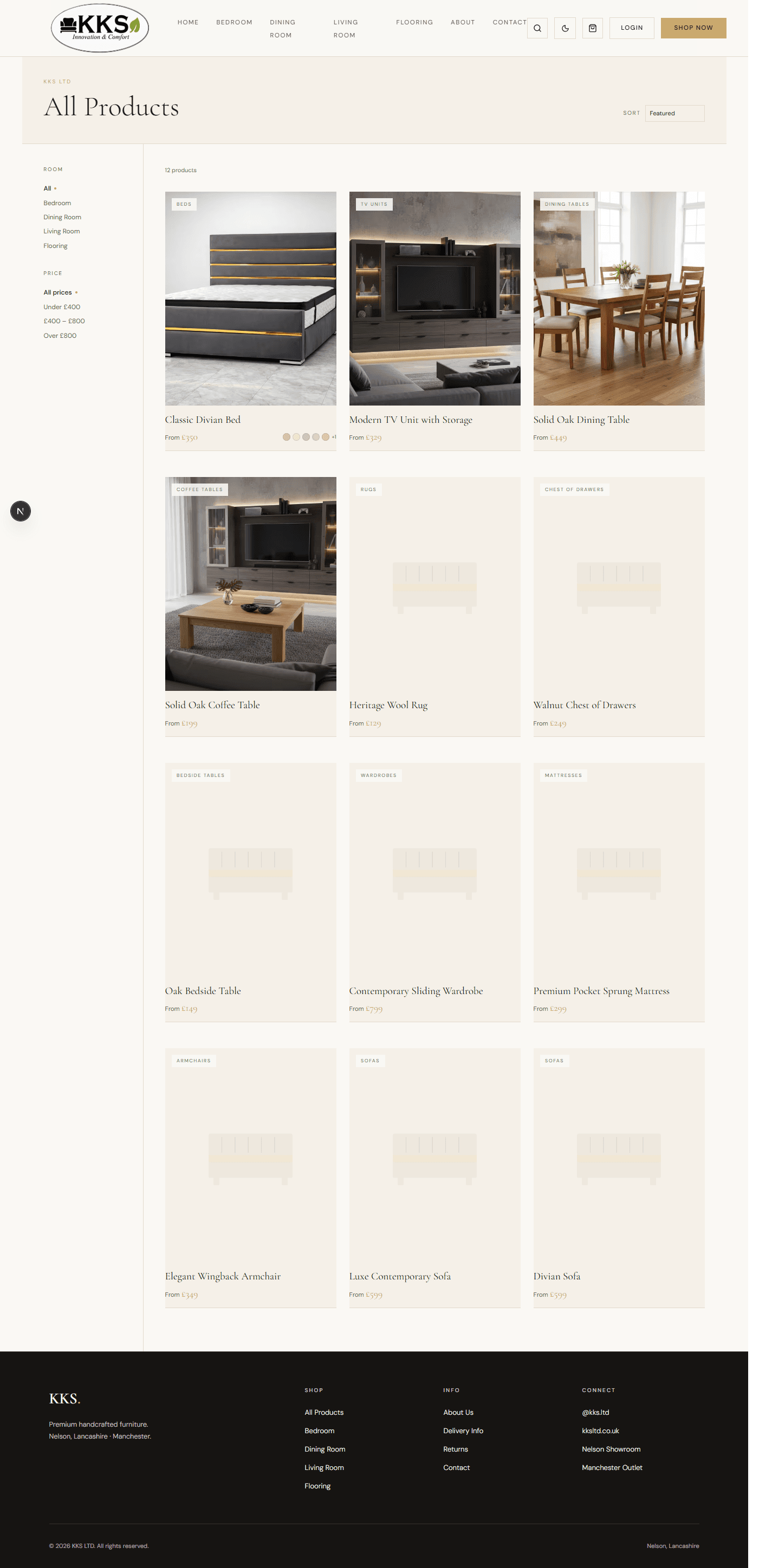
All products page displaying catalog cards and storefront layout.

S04

Public product listing showing browsing and discovery experience.

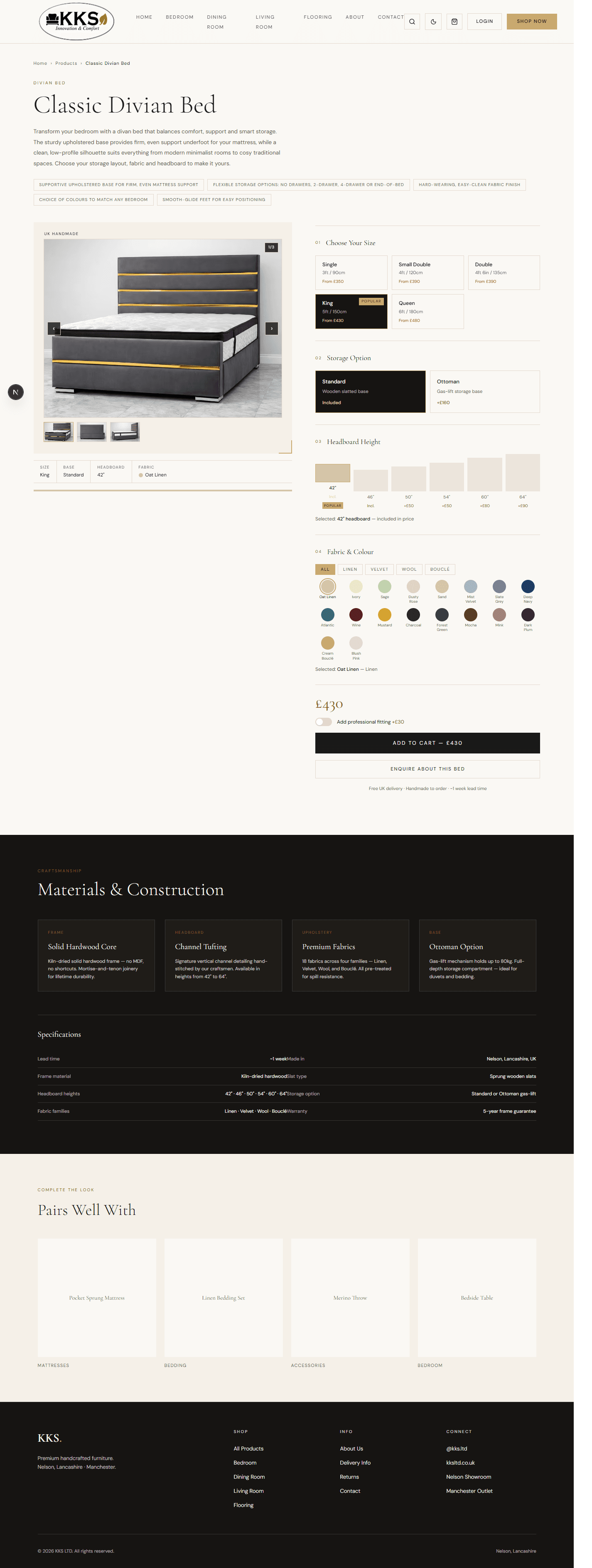
Product detail page with configurable options and purchase path.

S05

Configurable product detail flow for custom purchasing.

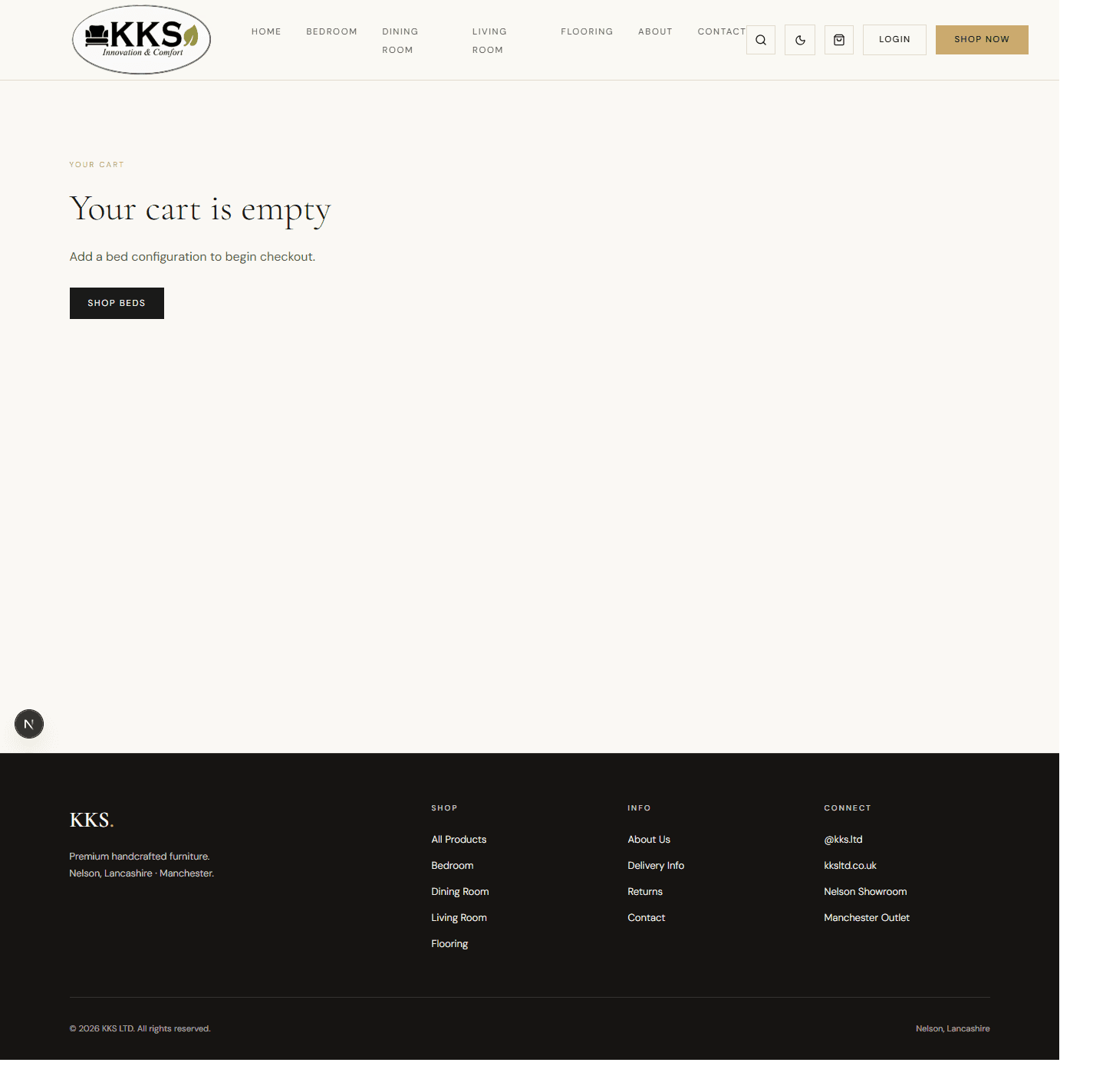
Cart page state showing empty-cart messaging and a direct path to continue shopping.

S06

Cart experience state captured for purchase-flow narrative.

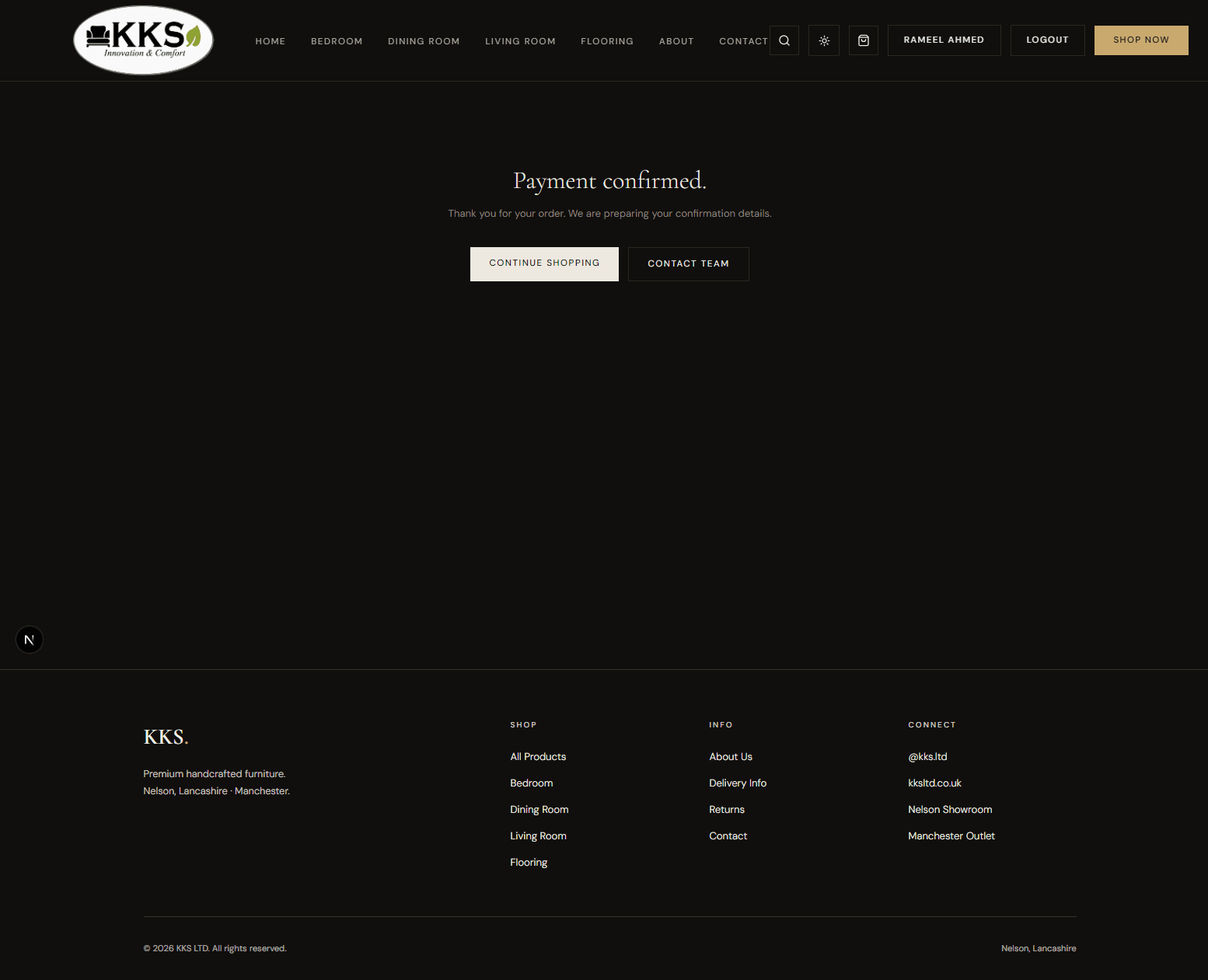
Order success or payment confirmation page proving completed checkout flow.

S07

Checkout completion evidence for the Stripe purchase path.

StartFinish

Admin and Operations

Protected operational surfaces give internal teams the control they need without exposing those workflows publicly on the portfolio site.

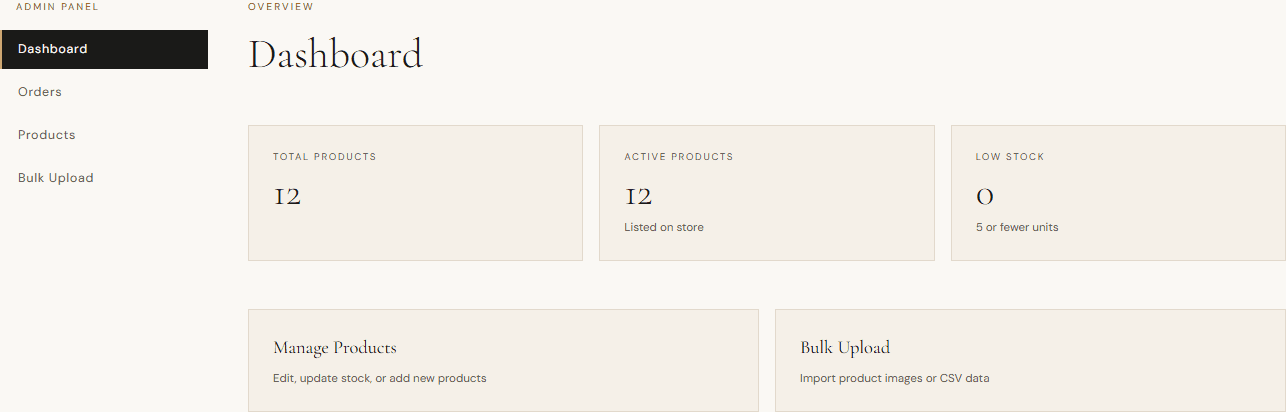
KKS admin dashboard with cards for total products, active products, and low stock alerts.

S08

Admin dashboard highlighting stock visibility and operational shortcuts.

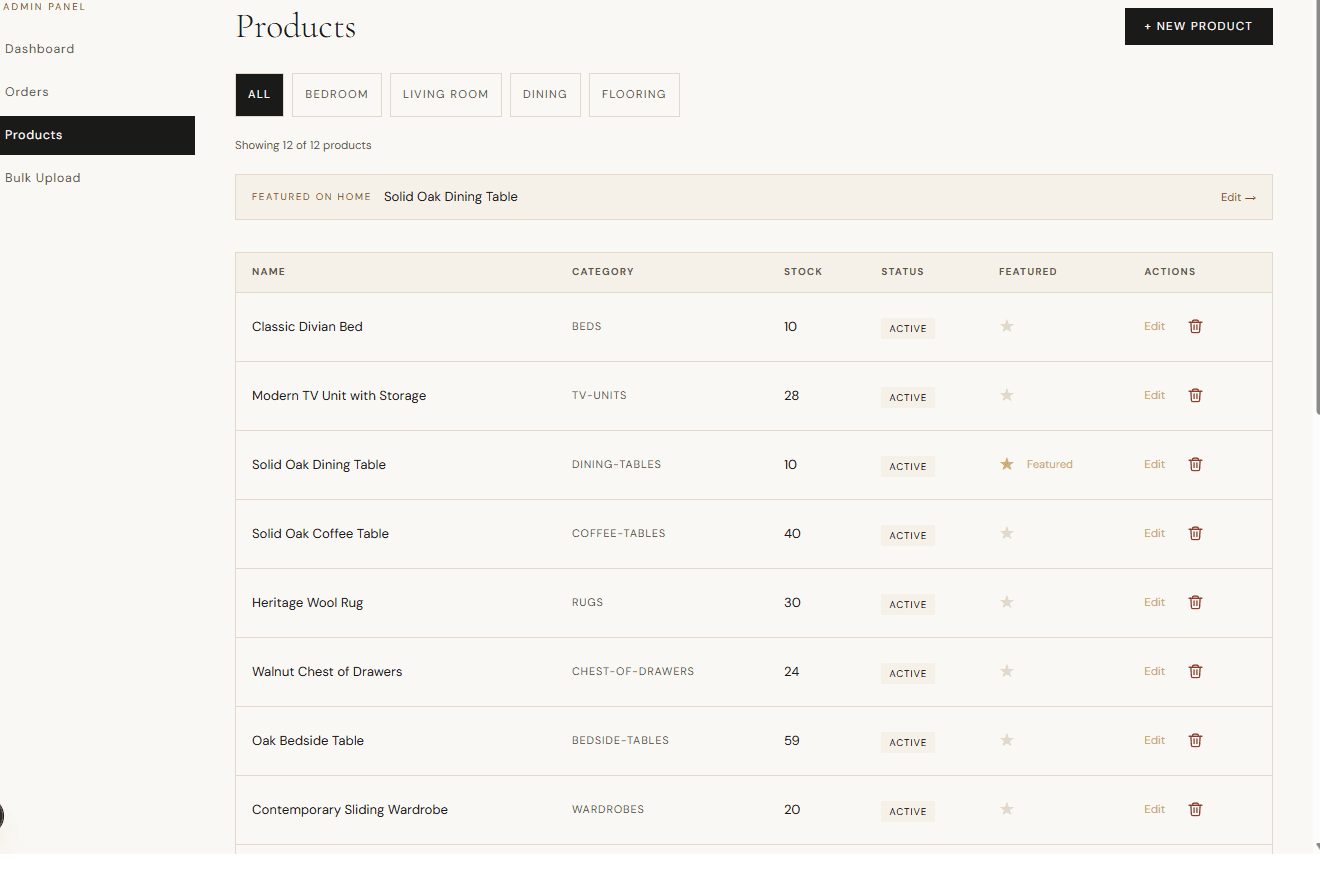
Admin products table showing inventory rows, status, and action controls for product updates.

S09

Product management table with category filters and featured product controls.

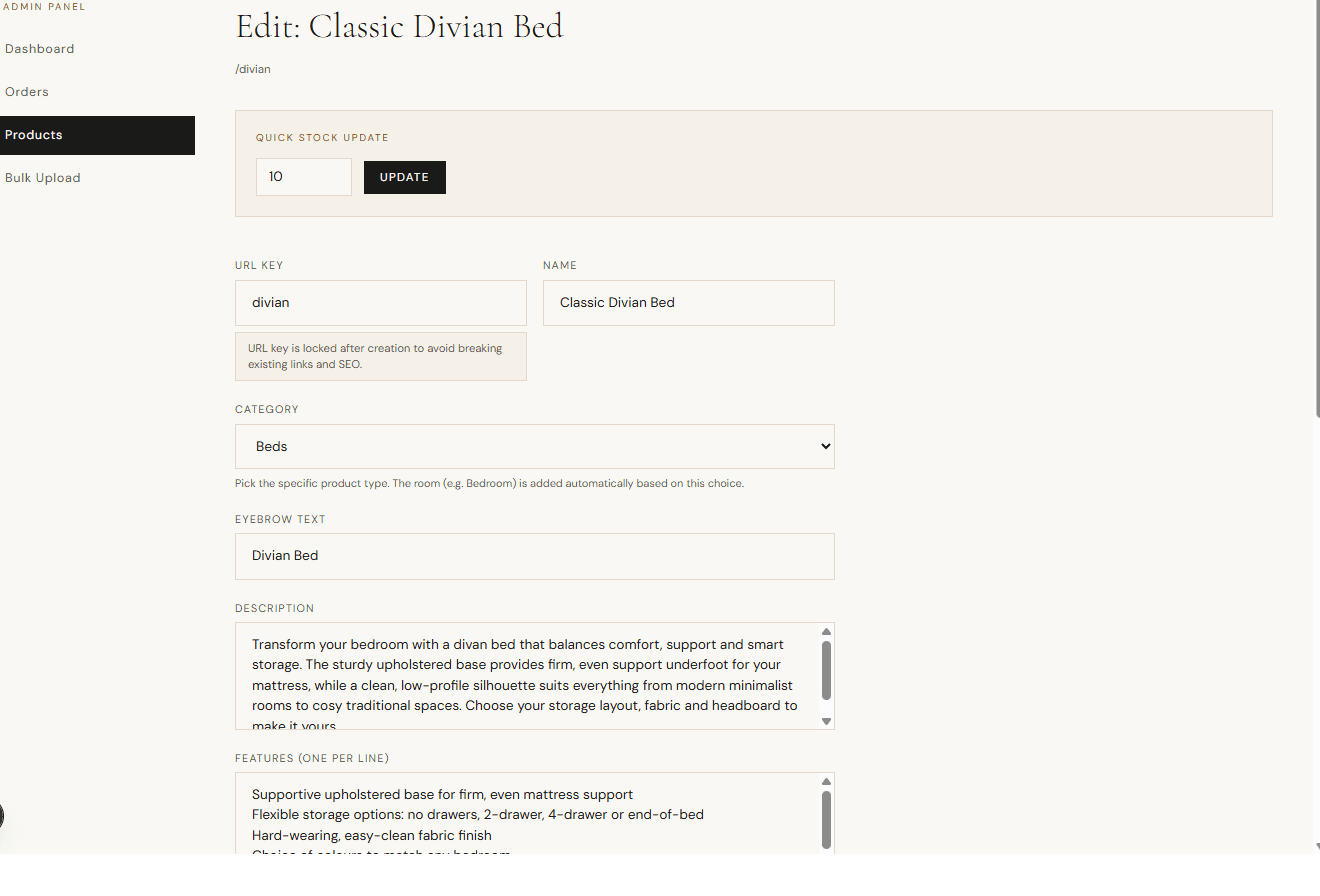
Admin product edit page with quick stock update field and detailed product form settings.

S10

Product edit workspace with quick stock update and full form controls.

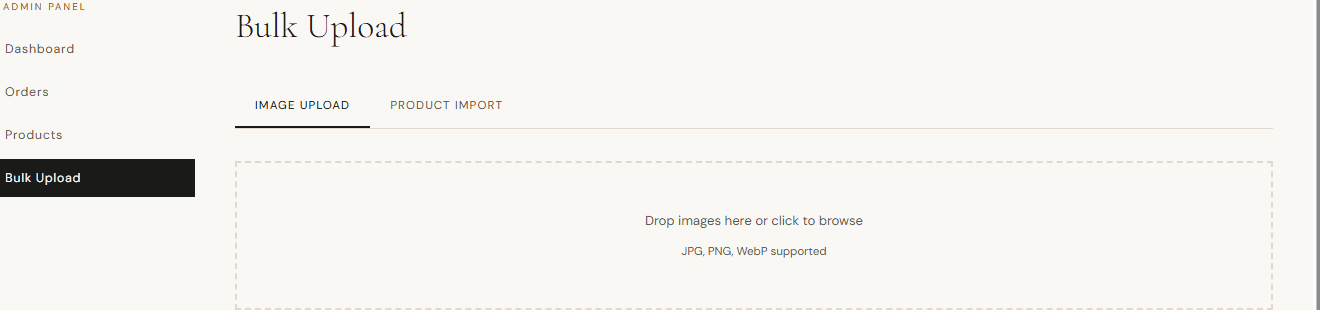
Bulk upload interface for dragging and selecting product images in the admin panel.

S11

Bulk image upload tab for fast media ingestion into the catalog pipeline.

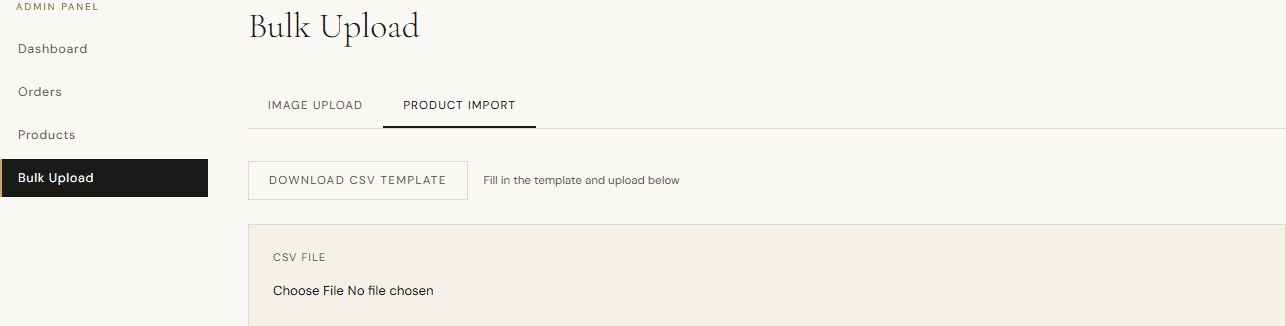
Bulk product import tab with CSV template and file chooser for catalog updates.

S12

CSV import workflow for batch product onboarding and validation.

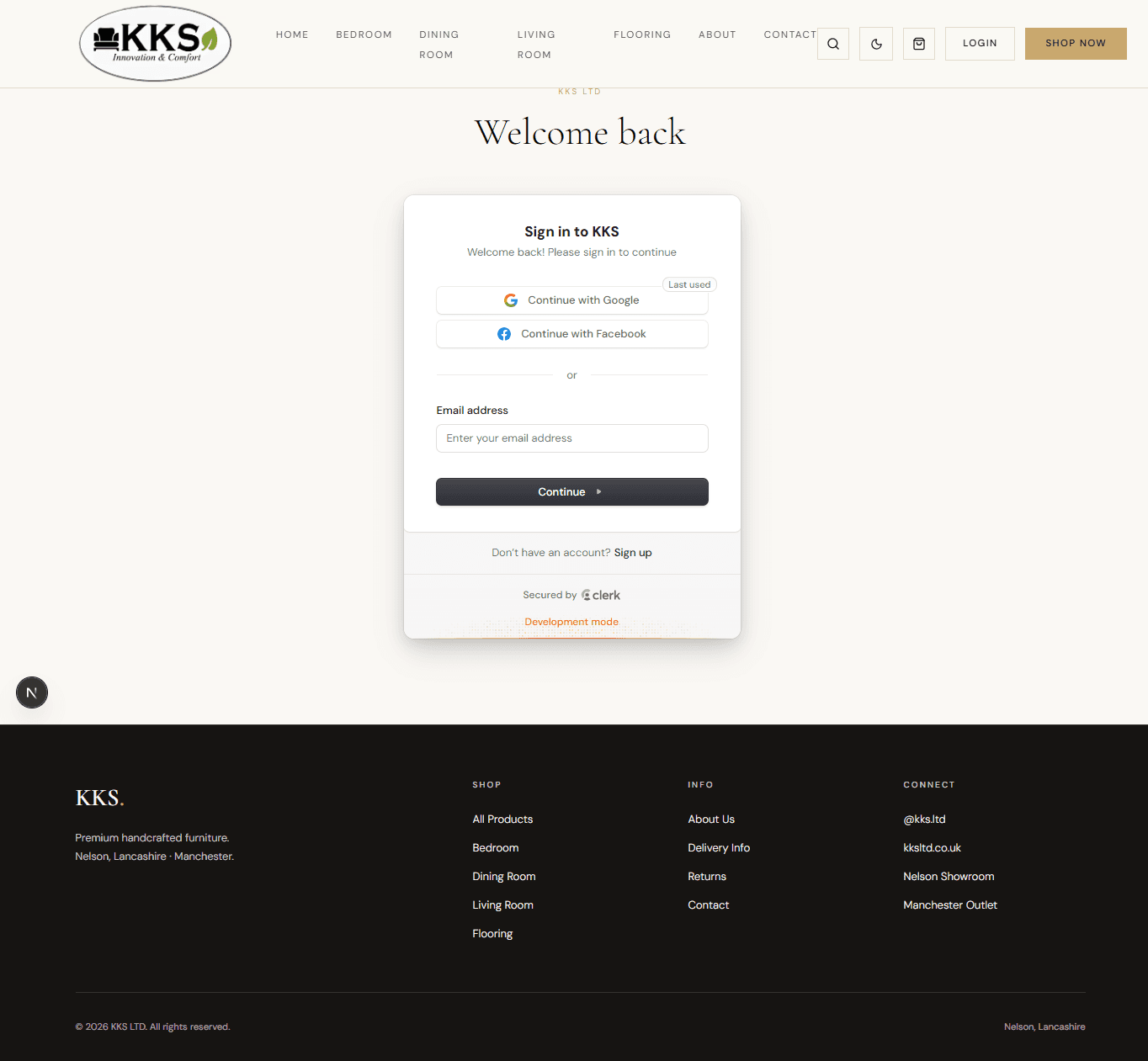
Clerk sign-in interface used for both customer and admin accounts in KKS.

S13

Single Clerk login surface used for both user and admin sign-in paths.

— How it came together

The stack, systems, and implementation choices.

Admin and protected flows are presented here as screenshots and implementation notes only. They remain intentionally private, and admin access depends on manual ADMIN role assignment in the Clerk and app user mapping.

Experience Layer

The storefront is built on Next.js App Router with TypeScript and Tailwind CSS, giving the marketing and commerce surfaces a shared design system while preserving route-level composition and metadata control.

The homepage leans on a cinematic scroll-based hero with progressive text reveals and a reduced-motion fallback, so the visual narrative stays premium without sacrificing accessibility or perceived performance.

Commerce and Validation

Product detail pages support configurable purchases instead of a flat catalog-only flow, which makes the buying journey feel tailored to custom furniture rather than commodity ecommerce.

Stripe checkout initiation and order confirmation are guarded with server-side validation and post-payment safety checks so pricing, cart state, and confirmation logic stay trustworthy under real purchase flows.

Operations, Access Control, and SEO

Clerk authentication and role-based route protection separate customer and admin experiences, while admin capability still requires explicit ADMIN assignment in the Clerk and app user mapping.

Operational tooling covers product management, stock control, bulk image upload, and CSV import workflows so catalog updates can be handled by non-technical teammates.

The implementation also includes metadata patterns, robots rules, and sitemap generation to establish a solid SEO baseline for a product-led storefront.

— Build notes

A few problems solved with deliberate tradeoffs.

Challenge

Heavy cinematic hero can degrade perceived performance.

Solution

Staged loading, frame preloading strategy, motion fallbacks, and a static poster fallback keep the landing experience polished without forcing every visitor through the heaviest path.

Challenge

Checkout correctness and safety.

Solution

Server-side cart validation, Stripe session constraints, and post-payment confirmation safeguards make the transaction flow more resilient.

Challenge

Operational scalability for catalog changes.

Solution

Bulk image and CSV import workflows with validation and error feedback make repeated product updates practical for the operations team.

Explore the live KKS experience in production.

This showcase highlights the strongest parts of the build. The live product shows how the storefront, checkout, and protected admin surfaces come together end to end.